FireDaemon OpenSSL for Microsoft Windows
Professional, EV-Signed, and Dependency-Free Binaries for Enterprise
Quick Links
Verify file integrity using SHA-256 with FireDaemon Lozenge.
Downloads
OpenSSL 4.0.2 FIPS EXE Installer x64 - August 2026
Installer in Czech, German, English, Slovak, Chinese, Japanese. Includes OpenSSL 3.5.4 FIPS 140-3 Module, FIPS Provider PowerShell Configuration Utility, and C++ sample project.
SHA2-256 D5D367744CB2BC9AE9B013BE03F6E586E937D5F3A9393AD675D9F2ED4339D50D
Git commit openssl-4.0.2-0-gf089acdf4b VirusTotal Report
OpenSSL 4.0.2 FIPS ZIP x86+x64+ARM64 - August 2026
Includes OpenSSL 3.5.4 FIPS 140-3 Module, FIPS Provider PowerShell Configuration Utility, and C++ sample project.
SHA2-256 F7F76BA792D8B67D0564F0D9209579B972A0AF52C0E64F2974FFE63A14831E2A
Git commit openssl-4.0.2-0-gf089acdf4b VirusTotal Report
OpenSSL 3.5.8 LTS EXE Installer x64 - August 2026
Installer in Czech, German, English, Slovak, Chinese, Japanese.
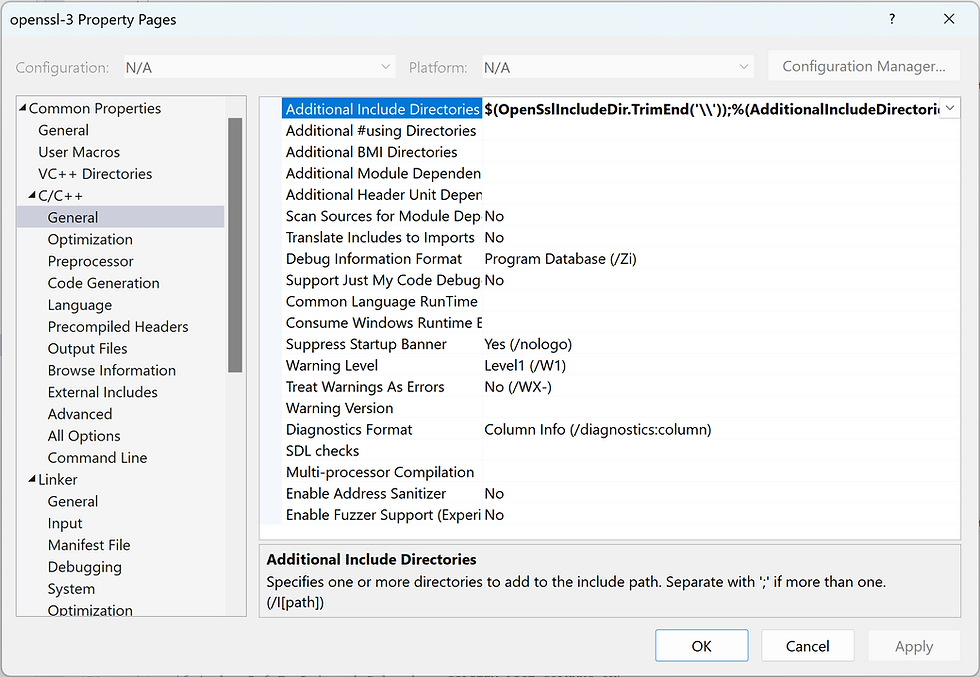
Includes Visual Studio C++ sample project.
SHA2-256 A6002D015CD9412ADB7D400A0E7B11B5E7D9FA84E8CABEA58CB5430CC74BEC8C
Git commit openssl-3.5.8-0-gf4dc4d58b4 VirusTotal Report
OpenSSL 3.5.8 LTS ZIP x86+x64+ARM64 - August 2026
Includes sample Visual Studio C++ project.
SHA2-256 A5377866B476C1661F329D3F25FC35912FA5EF01E614043B9B9A27BAF8DD76A4
Git commit openssl-3.5.8-0-gf4dc4d58b4 VirusTotal Report
OpenSSL 3.0.22 LTS ZIP x86+x64 - August 2026
SHA2-256 323FA7E2062B81FE5F4BECD02E885B138F5CD2A262EEA7DD30331F12F54D0573
Git commit openssl-3.0.22-0-ga279090b9c VirusTotal Report
OpenSSL 1.1.1w ZIP x86+x64 - September 2023
SHA2-256 1870B15BF6749E65FFBBADF52CDFF3EE0E9F02943550BF4395574BB432AF3EB8
Git commit OpenSSL_1_1_1w-0-ge04bd3433f VirusTotal Report
OpenSSL maintains a list of 3rd-party maintained binary distributions of OpenSSL.
Please review our Release Policy before downloading and using this distribution.
Please use the latest 4.0, 3.5 LTS, or 3.0 LTS release.
OpenSSL 1.1.1, 3.0, 3.1, 3.2, and 3.3 are unsupported. We no longer provide 3.4 or 3.6 binaries.
OpenSSL 1.0.2zr, 1.1.1zi or later are only available to OpenSSL customers who have a Premium Support Contract.
We do not have an EAR CCL ECCN. This is intentional. You must seek independent legal advice before using/integrating/exporting our OpenSSL installers and ZIP files in your product if you believe you are subject to export controls.

Screenshots